Everything about tasks, from the first card to the API.
How the board, the documents and support work — and how to connect an assistant over MCP or your own system over REST. Every endpoint with its parameters and response lives on its own page, read live from the API's spec so it always matches what is running.
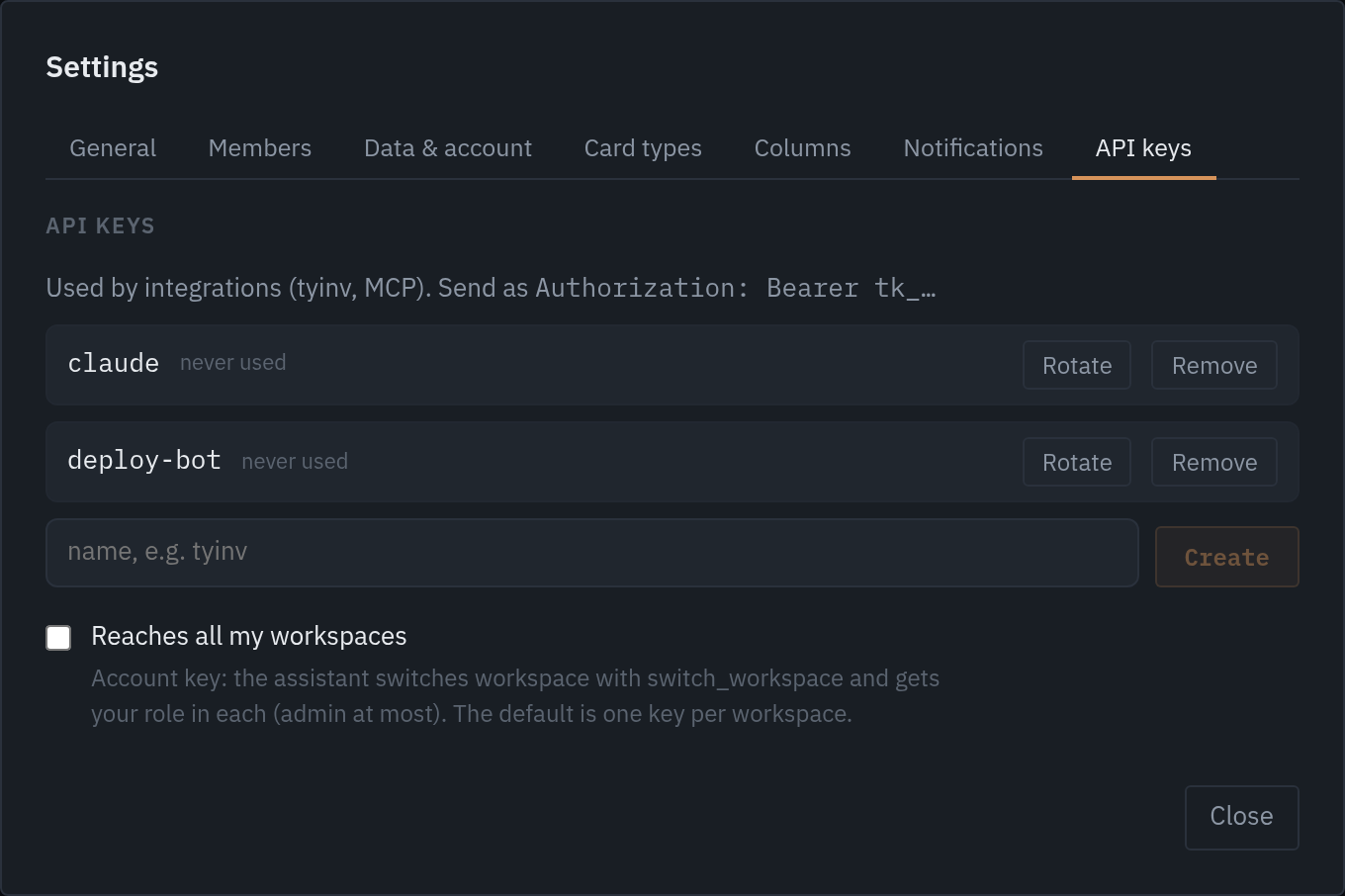
# 1. Create a key in the app: Settings → API keys
# 2. Create your first card
curl -X POST https://tasks.nu/api/projects/infra/issues \
  -H "Authorization: Bearer tk_…" \
  -H "Content-Type: application/json" \
  -d '{"title": "The certificate expires on Friday", "type": "drift", "prio": 1}'

# → 201
{ "key": "INF-24", "status": "ny", "title": "The certificate expires on Friday", … }
Workspace and members
Everything lives in a workspace: projects, cards, documents, keys and notifications. You get one when you first sign in, and can own up to five. Invite via Settings → Members; the link is valid for seven days and requires whoever clicks it to sign in with the same e-mail.
Roles: member sees and works in the board, admin creates projects, keys and notifications, owner manages members, name, export and deletion. If you share an e-mail domain with an existing workspace it is suggested at sign-in and the owner approves.
The board: cards, columns, types
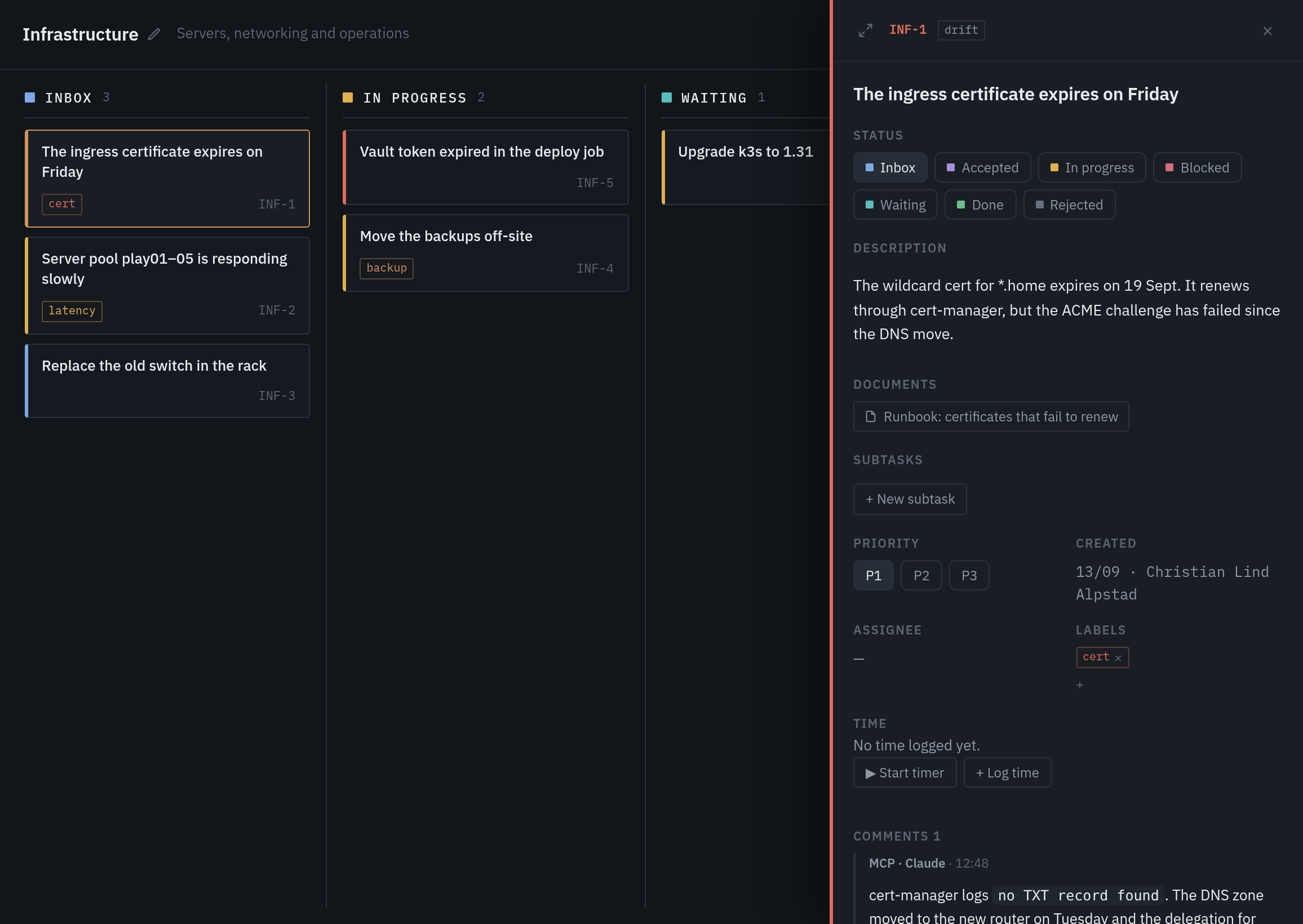
A card has a key (INF-24), title, description in markdown, status, prio 1–3, type, labels and an assignee. The statuses are fixed in the API — ny · accepterad · pagar · blockerad · vantar · klar · avvisad — but column names, colours and visibility can be changed per workspace or project.
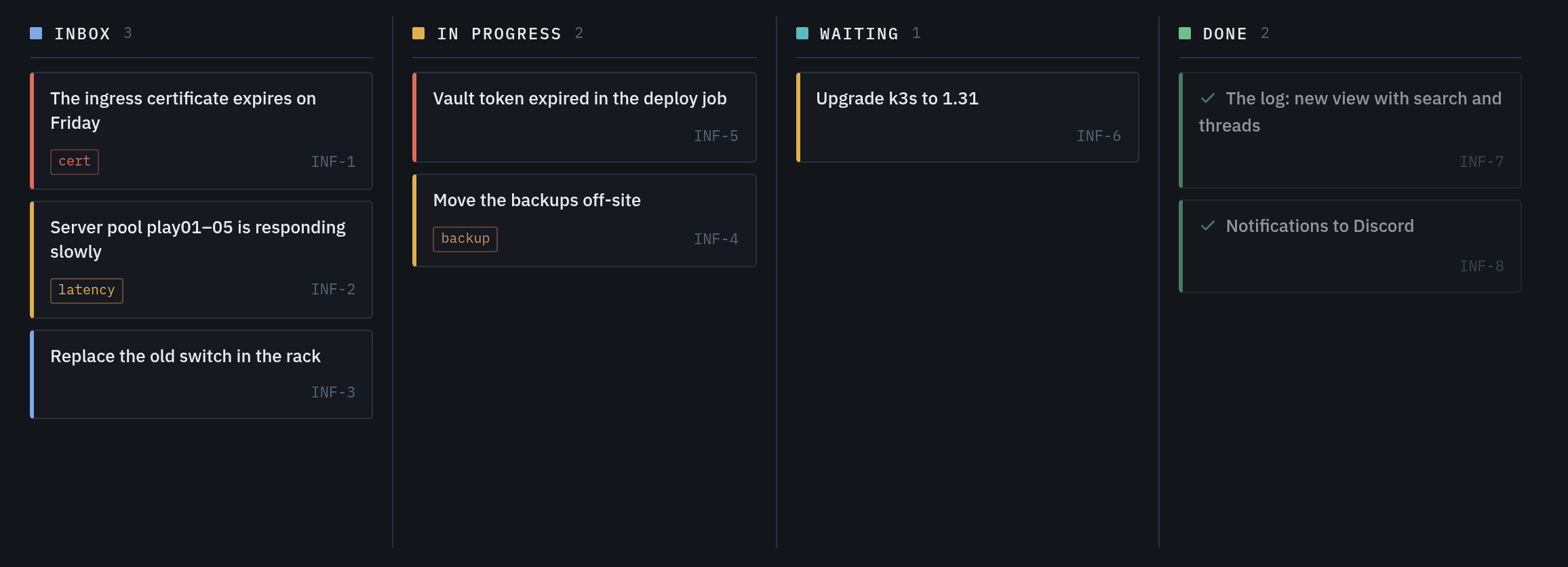
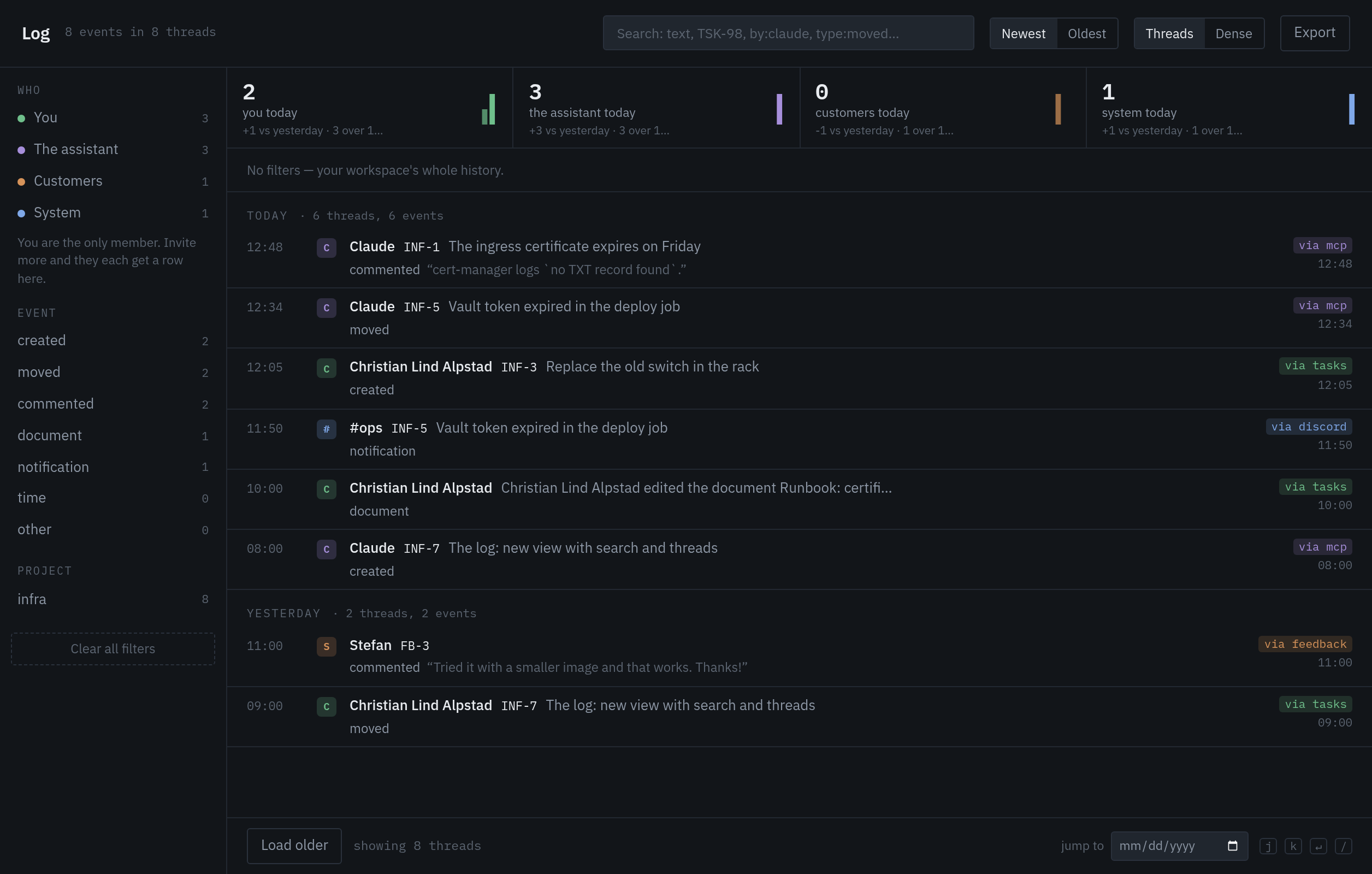
Cards can have subtasks that may live in other projects; the parent shows how many are done. Deleted cards go to the bin and can be restored. Everything that happens is logged in the feed, tagged with who or which key did it.
Documents and folders
Documents are markdown with heading navigation, Mermaid diagrams and card links: write [INF-24] and it becomes a link with status. Organise them in folders and link them to projects or cards. Every change is saved as a revision.
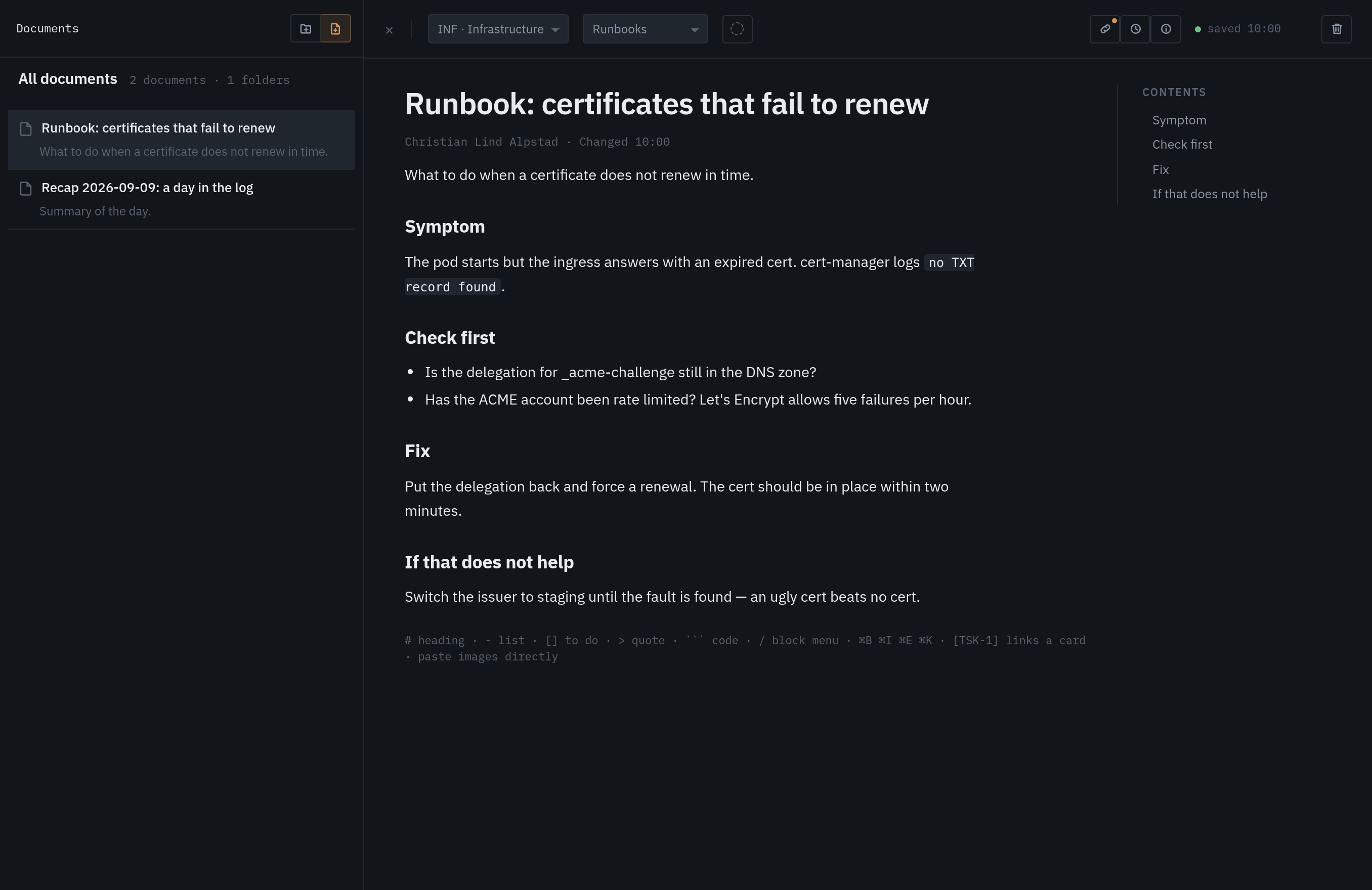
The assistant can read and write documents over MCP, so a runbook can be updated right in the conversation.
Notifications to Discord and Slack
Under Settings → Notifications you add a webhook URL for Discord or Slack, globally or per project, for new cards, status changes and comments. The URL is never shown again. Click the connection in the sidebar for delivery status and a chart of what was sent.
Support and feedback
Bugs, requests, questions and design thoughts are reported from the app (Support in the sidebar) or via the MCP tool report_feedback. The report becomes a card with the tasks team, you see status and replies under My reports, and the team can answer right in the thread.
Assistant over MCP
tasks has an MCP server built in at https://tasks.nu/mcp (streamable HTTP, stateless). Create an API key in the app and put it in your client — the tools describe themselves, no code needed.
# Claude Code
claude mcp add --transport http tasks https://tasks.nu/mcp \
  --header "Authorization: Bearer tk_…"

# Claude Desktop, Cursor and others: the same address and header in the client's MCP configuration
{ "mcpServers": { "tasks": { "url": "https://tasks.nu/mcp", "headers": { "Authorization": "Bearer tk_…" } } } }
The key counts as admin in the workspace: it can create projects, cards and documents but never touch members, settings or other keys. Click MCP in the sidebar to see what the assistant has done, per hour.
REST: get going in five minutes
- 1Create an API key
In the app: Settings → API keys. The key is shown once and stored hashed. The same key works for MCP and REST.
- 2Send it as Bearer
Authorization: Bearer tk_… on every call. JSON in, JSON out, times in RFC 3339. All addresses start with https://tasks.nu/api.
- 3Create a card and see it on the board
The example at the top. The card shows up right away, tagged with the key's name in the feed so you can see where it came from.
Webhooks
To react when something happens in a project, register a URL with POST /api/projects/{slug}/webhooks. On every event on the project's cards a JSON body is sent with the event, the card and who did it. If you set a secret the body is signed with HMAC-SHA256 in the header X-Tasks-Signature.
For Discord and Slack there are ready-made notification connections in the app — they need no code at all.
Errors and limits
Errors respond with a JSON body {"error": "…"} and a 4xx status: 400 bad request, 401 missing or invalid key, 403 role too low, 404 not found, 409 conflict (slug or key taken), 429 too many requests.
| MCP | 600 calls per minute per key, burst 300 |
| Uploads | 30 per minute, 10 MB per file, 200 MB per workspace |
| Creating reports and invitations | 10 per minute |
| Export | 2 per minute |
| New workspaces | 5 in a burst, then 1 per minute · max 5 owned per account |
Limits are counted per API instance. 429 comes with Retry-After: 60.
MCP or REST?
| You want to | Pick | Because |
|---|---|---|
| let an assistant work in the board | MCP | one line in the client, the tools describe themselves, no code |
| create cards from your own system | REST | a POST from a cron job, a pipeline or an alert |
| react when a card moves | Webhooks | a signed POST to your address, per project |
| both | both | the same key works for MCP and REST |
The spec is available as OpenAPI 3.1 for generators and clients. The service status is on status.tasks.nu. Missing something: get in touch or report it from the app.